Nexus — The Digital Foundation for Ingenium Modernization
"When environments are managed manually, delivery slows down and test confidence drops."
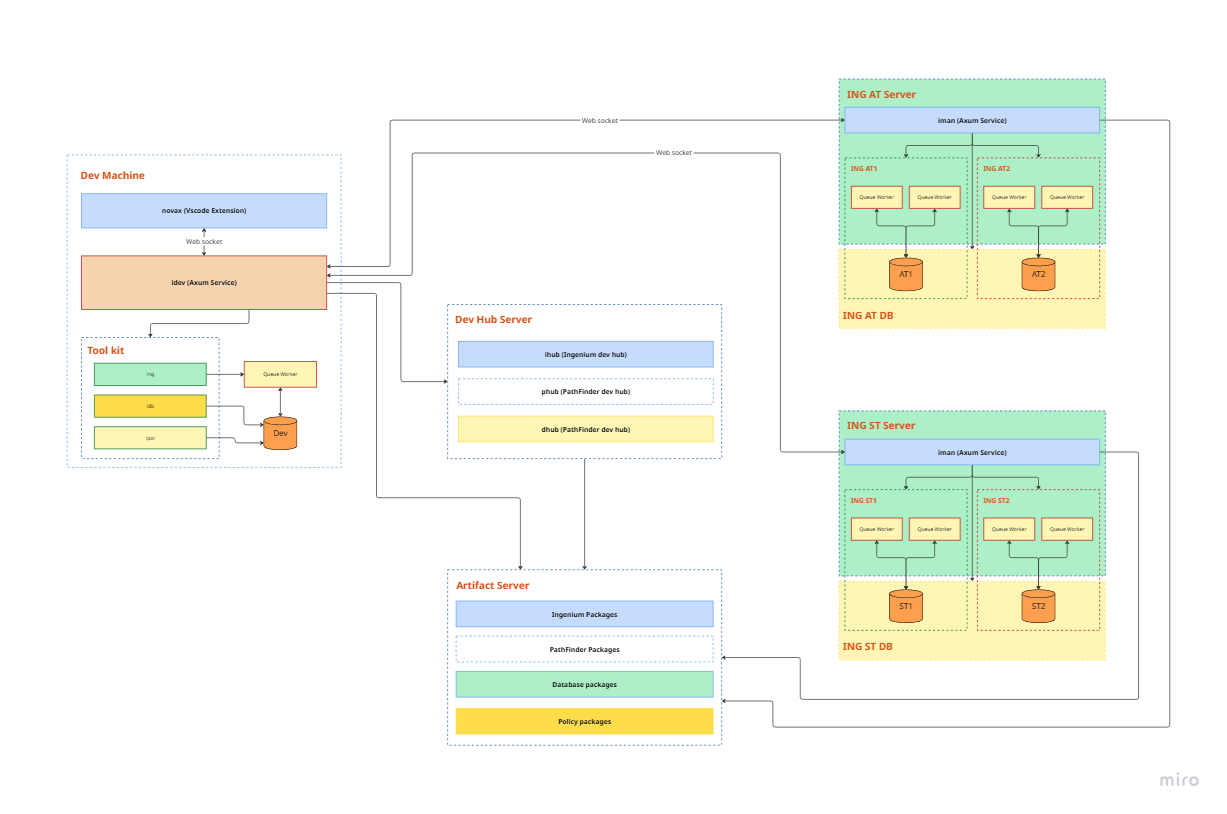
The Daily Reality in Ingenium Teams
If your organization runs Ingenium, these pain points are likely familiar:
- COBOL compilation can take hours for small changes
- Engineers copy commands between local machines and servers, causing "works on my machine" issues
- DB2 and SSH credentials are scattered across scripts and config files
- Policy migration between environments is manual and high-risk
- Environment setup is inconsistent, making test runs hard to reproduce
- Low environments drift over time because there is no reliable reset/update baseline process
- Schema and baseline data gradually diverge across DEV, SIT/UAT, and PRD
- Batch and overnight operations are fragile and difficult to monitor
- Teams have limited real-time visibility into production status
These are not minor inconveniences. They reduce release confidence, test reliability, and delivery speed.
Why This Directly Impacts Test Quality
When lower environments are not regularly aligned with production-like baselines:
- The same test can pass in one environment and fail in another
- Regression defects appear late because non-PRD environments no longer represent real behavior
- Root-cause analysis takes longer due to schema/data mismatch between environments
- Teams spend time fixing environment issues instead of delivering business features
Nexus treats environment consistency as a first-class DevOps requirement, not a side task.
Nexus — Built Specifically for Ingenium
Nexus is a purpose-built DevOps toolchain for Ingenium insurance core systems. Instead of forcing generic tooling to fit Ingenium constraints, Nexus standardizes compilation, deployment, migration, and operations across environments.
| Current Challenge | Nexus Approach |
|---|---|
| COBOL compilation takes hours | Dependency-aware parallel compilation to reduce turnaround from hours to minutes |
| Manual server operations | Unified CLI + VS Code extension with consistent behavior on Windows and Linux |
| Credentials exposed in config files | Encrypted credential handling (AES-256-GCM), never logged in plaintext |
| Policy migration is risky and manual | Controlled policy export/import/copy with validation checks |
| Environment setup is inconsistent | Standardized environment orchestration for reproducible DEV/SIT/UAT/PRD setup |
| Developers need isolated local setups | Support for one or multiple independent Ingenium instances on a single machine |
| No reliable env reset/update baseline | Versioned schema and baseline-data workflow with comparison and controlled rollout |
| Batch scheduling is fragile | Built-in scheduling, monitoring, and alerting |
| No production visibility | Central management server (isman) with health checks and operational APIs |
What Nexus Delivers
- More reliable and reproducible testing across environments
- Faster and safer release cycles
- Lower operational risk caused by environment drift
- Flexible local development by allowing each developer laptop to run one or more independent Ingenium instances
- Better compliance posture through standardized and auditable processes
Scope Clarification
The 9-month Ingenium-to-cloud migration is documented separately in ING on Cloud.
That project is the practical foundation that informed Nexus design, but it is not presented here as direct product results of Nexus.
Core Components
| Component | Purpose |
|---|---|
icomp | Intelligent COBOL compilation (parallel, dependency-aware) |
nexus CLI | Ingenium environment orchestration, configuration, and operations |
isman | Central management server with API, scheduling, and health monitoring |
ipol | Policy lifecycle operations (copy, export, import) |
| VS Code Extension | Unified developer control plane inside the IDE |
Why Rust
Nexus is implemented in Rust to provide:
- Native performance for tooling-intensive workflows
- Memory-safe implementation for long-running operational tools
- Single-binary distribution with minimal installation overhead
- Consistent cross-platform behavior between Windows and Linux
Adoption Roadmap
| Phase | Timeline | Primary Outcome |
|---|---|---|
| Assessment | Week 1-2 | Baseline audit of environments, toolchain, and drift risk |
| Foundation | Week 3-6 | Deploy Nexus core tooling and train the platform team |
| Stabilization | Month 2-3 | Standardize environment lifecycle and improve test reproducibility |
| Acceleration | Month 4+ | Expand CI/CD automation, monitoring, and operational optimization |
Getting Started
Then open VS Code and run Nexus workflows directly from the extension.
View Full Installation Guide ->
Legal Notice
This document is provided for informational and advisory purposes only. All trademarks are the property of their respective owners. This project has no affiliation with DXC Technology, Sun Life, or any other third parties mentioned herein.